Developers
Build with the API
Integrate an Aihio assistant into any application with just a few lines of code.
API example
Simple integration
Send your first message with just a few lines of code.
          curl -X POST https://api.aihio.ai/v1/chat \
  -H "Authorization: Bearer YOUR_API_KEY" \
  -H "Content-Type: application/json" \
  -d '{"bot_id": "bot_123", "message": "Hi, how can I help?"}'
Features
A developer-friendly platform
REST API
Simple, well-documented REST interface. JSON-based requests and responses with OAuth 2.0 authentication.
Webhooks
Real-time notifications for chat events. Configure webhooks for new conversations, messages, and user actions.
SDKs
Official SDKs for Python, JavaScript, and Go. Typed interfaces and automatic retries built in.
Rate Limiting
Flexible limits for different needs. Free tier at 100 req/min, Pro at 1,000, and custom limits for Enterprise.
Getting started
Up and running in minutes

Create an account & API key
Sign up for free and generate an API key from the dashboard. Your key is ready to use immediately.
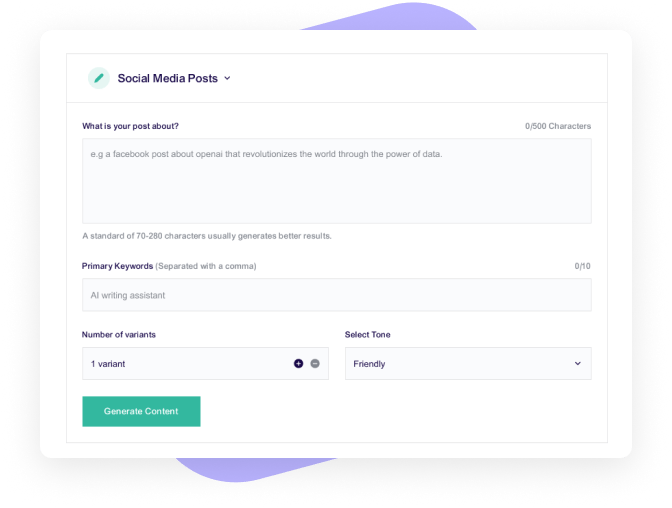
Configure your assistant
Set the assistant’s tone, knowledge base, and response rules via the dashboard or the API.
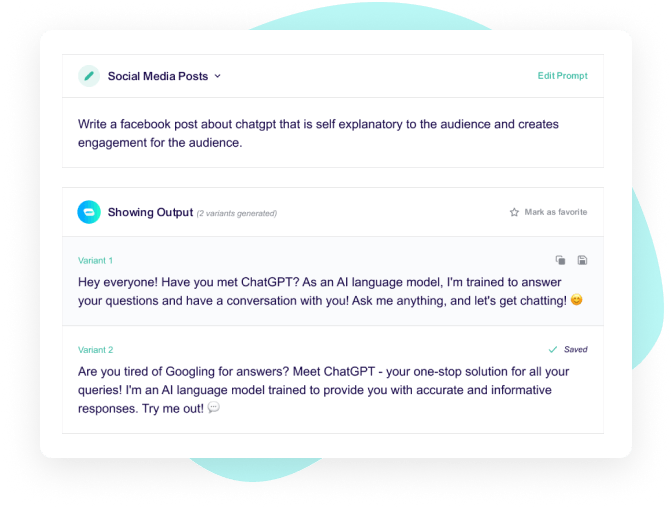
Integrate and launch
Embed it on your site or integrate directly into your app via the REST API.
Ready to start?
Get your API key for free
Start building right away. The free tier includes a limited number of messages per month.
- Free to start
- Limited messages/mo
- Comprehensive docs